Device Photos
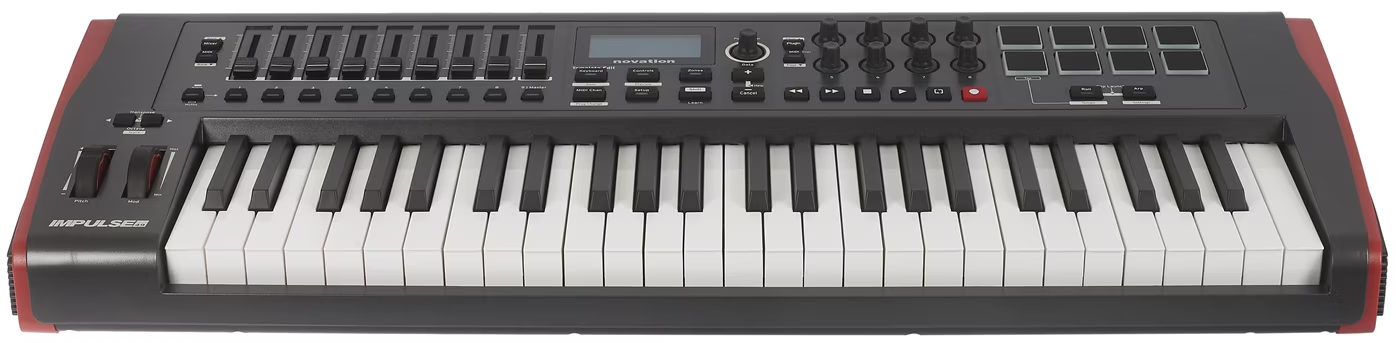
Front
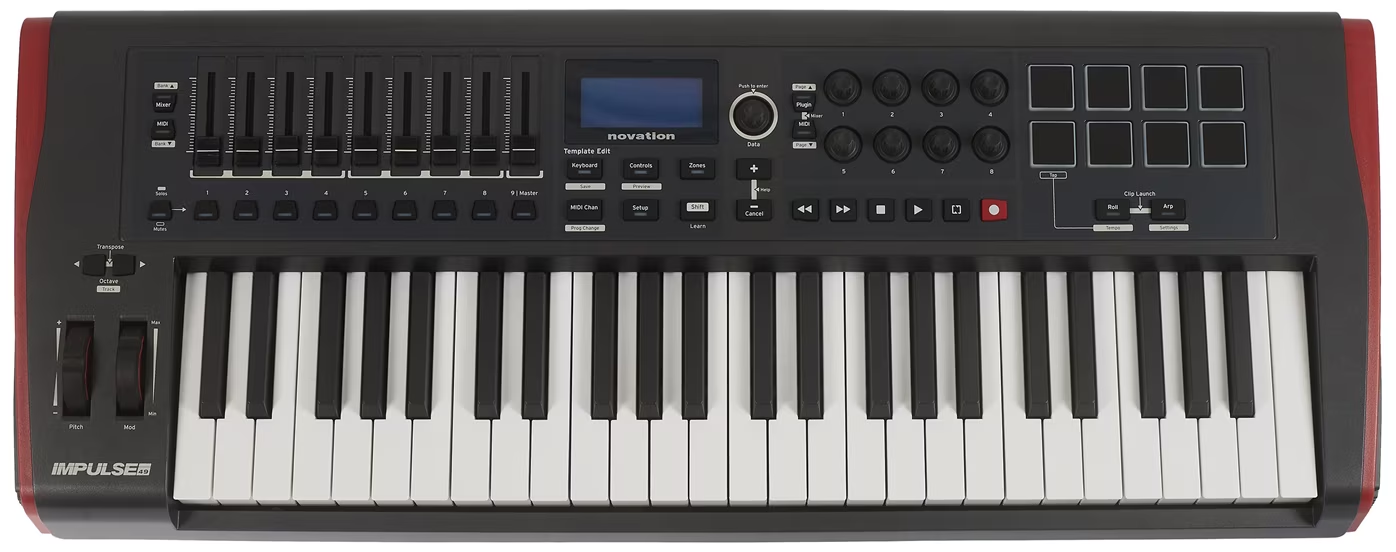
Top
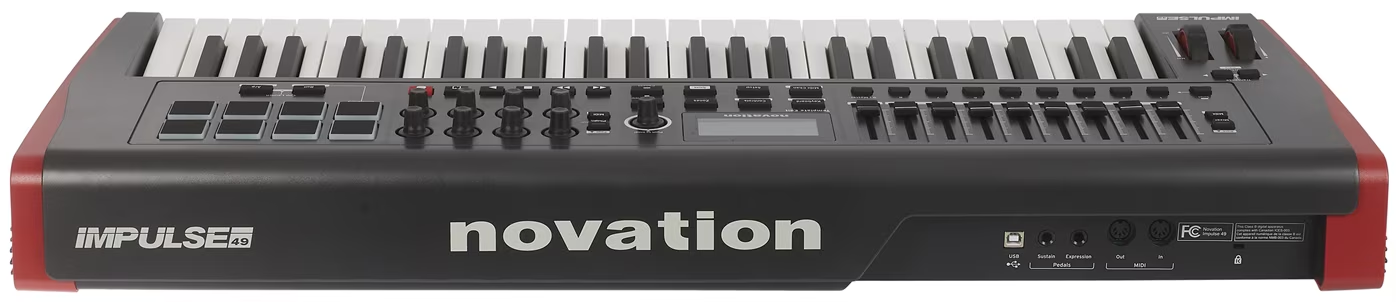
Back
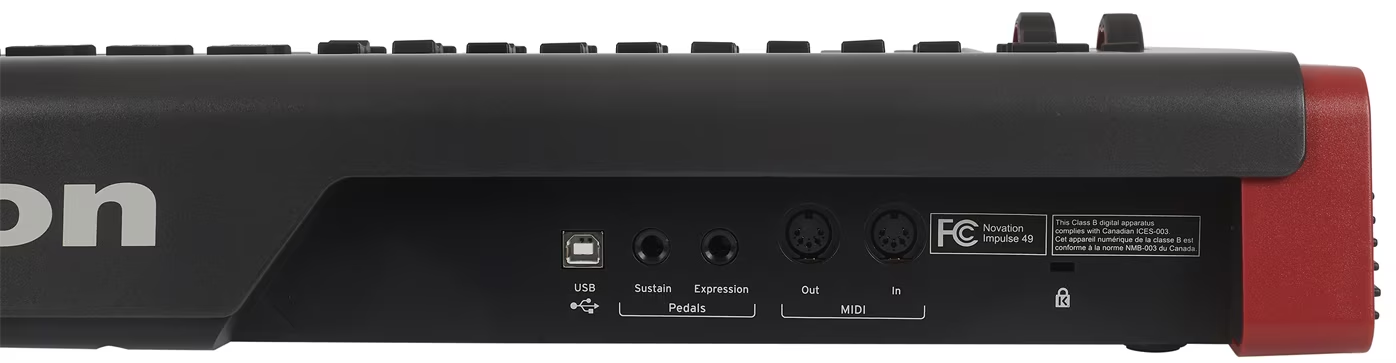
Input/Exit
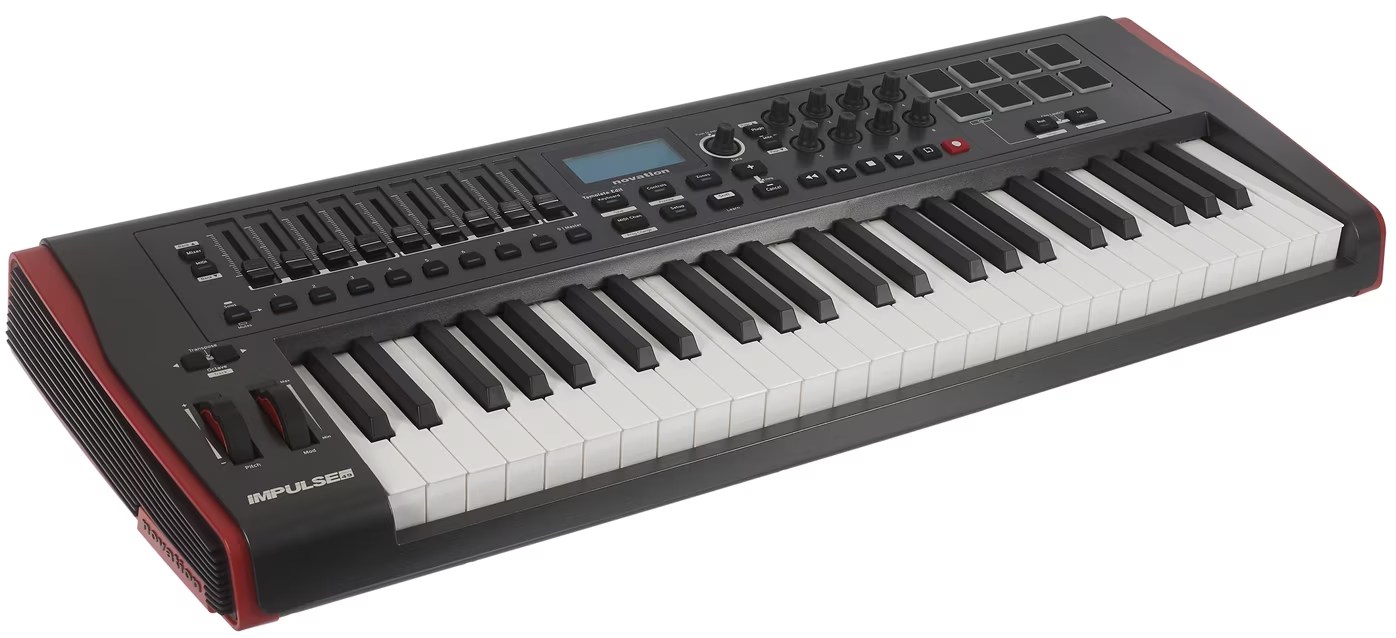
Left Side
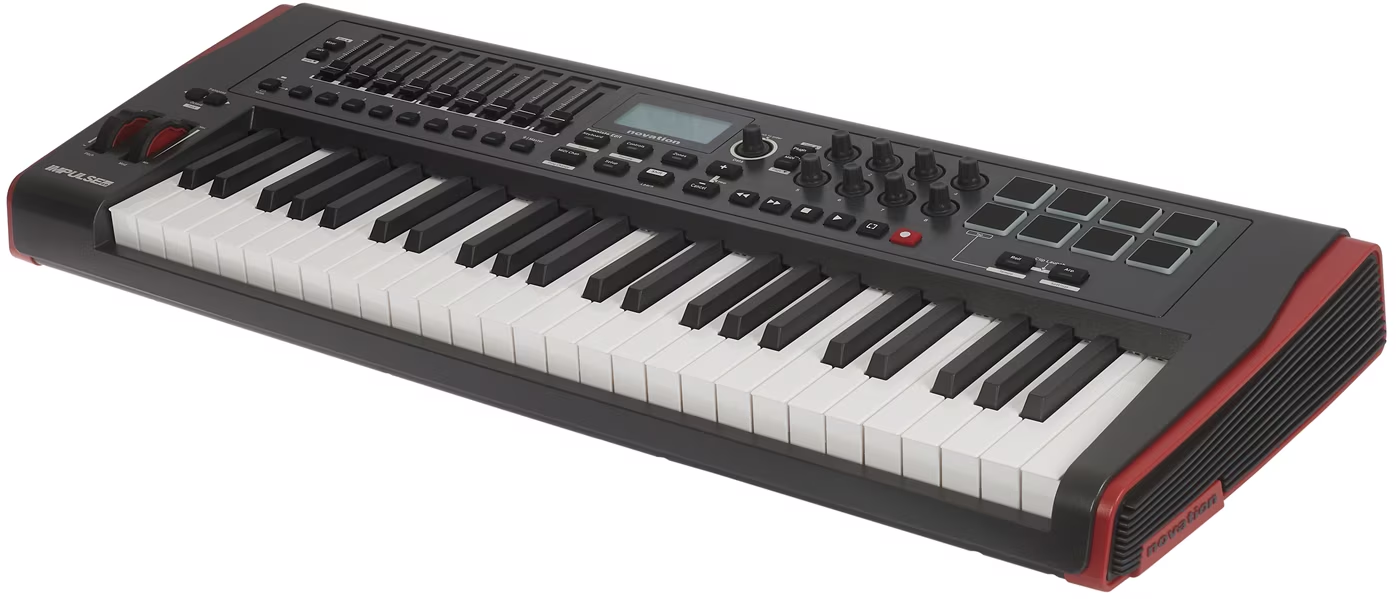
Right side
Basic data
Name
Novation Impulse 49
Category
1) MIDI controllers / keyboard controllers
Type
KEYBOARD_CONTROLLER
Specimen
A
Inventory tag
HW-2026-KO-IMP49-001
Condition
OK
Physical parameters
Dimensions (mm)
—
Dimensions (inch)
—
Weight
—
Format
—
Material
—
Manufacturing (Period)
—
Manufacturer
—
Power
Voltage
USB 5V
Current (typical)
0.5 A
Current (max)
0.9 A
Polarity
N/A
Connector
USB Type-B
AC/DC
USB
Internal/External
External
Note
Power supply via USB from the host device.
Warning: Check the polarity of the source before connecting! Improper power supply will damage the device.
Firmware and serial number
Serial number
Not stated
FW version (current)
Not stated
Check date
2026-03-06
Previous version
N/A
Bootloader
Not stated
Update Link
Backup File
Not stated
Quick Summary
The Novation Impulse 49 is a compact 49-key USB MIDI keyboard controller with semi-weighted keys, velocity, aftertouch and DAW integration. Offers XY pads, rotary encoders, fenders and control transport for Ableton Live and other DAWs.
Product Description
—
Features and functions
- 49 semi-weighted keys with velocities and aftertouch - expressive MIDI control
- Octave shift buttons - access to a wider range without physical key addition
- 8 XY falls with color backlight - drum triggering and clip shaving
- 8 rotary encoders - endless control of parameters (filters, volume, etc.)
- 9 fader - mixer control, expression and volume automatic
- Pitch Bend + Modulation wheel - traditional synth control
- Transport section - Play, Stop, Pause, Forward, Rewind (DAW sync)
- MIDI DIN In / Out - hardware synth connectivity (5-pin)
- Classic USB MIDI - Plug- and-play on Windows / Mac / Linux
- Ableton Live integration - optimization for Live workflow (MIDI mapping, remote control)
- DAW integration - Logic Pro, Cubase, Pro Tools compatible
- USB power supply - without external adapter
- Compact 49-key design - portable and desktop-friendly
- Rank built-in - approx. 2 kg for light transport
- Ideal for - production, performance, studio MIDI control, DAW control
Primary I/O (quick orientation)
| Domain | Inputs | Outputs | Note |
|---|---|---|---|
| MIDI | MIDI DIN IN, USB MIDI | MIDI DIN OUT, USB MIDI | |
| Pedal | Sustainable pedal | — | 1 / 4 "jack |
Controls
FRONT / TOP (user control)
- 49 keys (semi-weighted)
- 8 Falls
- 8 encoders
- 9 fader
- Transport of buttons
- Pitch / Mod wheels
Service / hidden elements
- (None)
Connectors and connections
Connector matrix
| Interfaces | IN | OUT | Spec / note |
|---|---|---|---|
| MIDI | MIDI DIN IN, USB MIDI | MIDI DIN OUT, USB MIDI | |
| Pedal | Sustainable pedal | — | 1 / 4 "jack |
Latency and jitter
Clock sources
Internal / USB MIDI
Clock IN/OUT format
MIDI Clock
Typical latency
< 5 ms (USB)
Jitter spec
N/A
Buffer support
N/A
Impedance and signal levels
Line Level (dBu)
N/A
Mic In level
—
Output Impedance
—
Input Impedance
—
THD
N/A
Frequency Range
N/A
Other Specifications (from metadata.specifications)
| Key | Value |
|---|---|
| specifications.keyboard.keys | 49 |
| specifications.keyboard.type | Semi-weighted keys with velocities and aftertouch sensitivity |
| specifications.keyboard.octave _ range | 4 octaves (starts at C2) |
| specifications.keyboard.pitch _ bend _ range | ± 2 semitones (standard, programmable) |
| specifications.controls.pads.count | 8 |
| specifications.controls.pads.type | Velocity- sensitive XY falls with backlit feedback |
| specifications.controls.pads.layout | 2 × 4 grid |
| specifications.controls.pads.color _ feedback | RGB lighting per pad |
| specifications.controls.pads.use | Drum triggering, clip licking (Ableton Live) |
| specifications.controls.encoders.count | 8 |
| specifications.controls.encoders.type | Rotary encodes (endless knobs) |
| specifications.controls.encoders.mapped | Default: Device parameter control (DAW-dependent) |
| specifications.controls.encoders.daw _ integration | Ableton Live, Logic Pro, etc. |
| specifications.controls.faders.count | 9 |
| specifications.controls.faders.type | Motorized or non-motorized (check model) |
| specifications.controls.faders.mapped | Mixer fades, volume, pan, etc. |
| specifications.controls.wheels.pitch | Pitch bend wheel |
| specifications.controls.wheels.mod | Module wheel |
| specifications.controls.transport.buttons | Play, Stop, Pause, Forward, Rewind |
| specifications.controls.transport.daw _ control | Direct DAW transport control (USB MIDI) |
| specifications.connectivity.usb | Type-B, USB MIDI (class-compliance) |
| specifications.connectivity.midi _ din.in | 5-pin DIN MIDI In |
| specifications.connectivity.midi _ din.out | 5-pin DIN MIDI Out |
| specifications.connectivity.midi _ din.use | Connection with hardware synthesisers and controllers |
| specifications.connectivity.power | USB-powered (5V, 500mA-900mA) |
| specifications.daw _ integration.national _ support | Ableton Live (Impulse is designed for Live), Logical Pro (with MIDI mapping), Cubase (with MIDI setup), Pro Tools (with MIDI mapping) |
| specifications.daw _ integration.setup | Plug- and-play USB MIDI; may require driver installation on Windows |
Additional technical details
| Key | Value |
|---|---|
| No additional technical details | |
Typical routing
- DAW control + synth: Impulse 49 controls DAW and external synth simultaneously
• USB connect to your computer
• MIDI OUT connect to external synth
• Map faders / encoders in DAW
• Use pads for clip lifting / drum input
Connection instructions: The examples below show typical signal flows in practice. For specific details (jitter, buffering), see section above.
SW / drivers
| Component | Windows | macOS | Linux | Note |
|---|---|---|---|---|
| No specific driver data; use the Documentation/Links section. | ||||
Custom firmware details
Author
—
FW family
—
Custom FW targets
- No explicit custom FW targets in metadata.
Custom CC mapping
| CC | Meaning |
|---|---|
| No custom CC mapping. | |
Custom FW global settings
| Settings | Meaning |
|---|---|
| No custom global settings. | |
Custom FW extended menu
| Item | Detail |
|---|---|
| No extended menu details. | |
Documentation and manuals
Manufacturer / Links
- Official site of manufacturer
- eBay - search Novation Impulse 49
- Aukro.cz - search Novation Impulse 49
- MusicyBazar.cz - search Novation Impulse 49
- MIDI.cz - search Novation Impulse 49
- Kytary.cz - search for Novation Impulse 49
- Heureka.cz - search Novation Impulse 49
- Gear4music.cz - search Novation Impulse 49
- Muziker.cz - search Novation Impulse 49
Service log
| Date | Event | Who | Note |
|---|---|---|---|
| 2026-03-06 | Initial inventory | Studio tech | Added to inventory, pictures and manual ready. |
Presets / User banks
Storage type
—
Number of banks
Not stated
Current bank
1
Backup File
Not stated
Export format
SysEx
Note
—
Notes / service / modifications
- The manual is stored locally in the MANUALS folder.
- Complete serial number and purchase price.